
DECK
No account needed. Works with Apple Music.
Full playback needs an Apple Music subscription.
A tape deck for your Apple Music library.
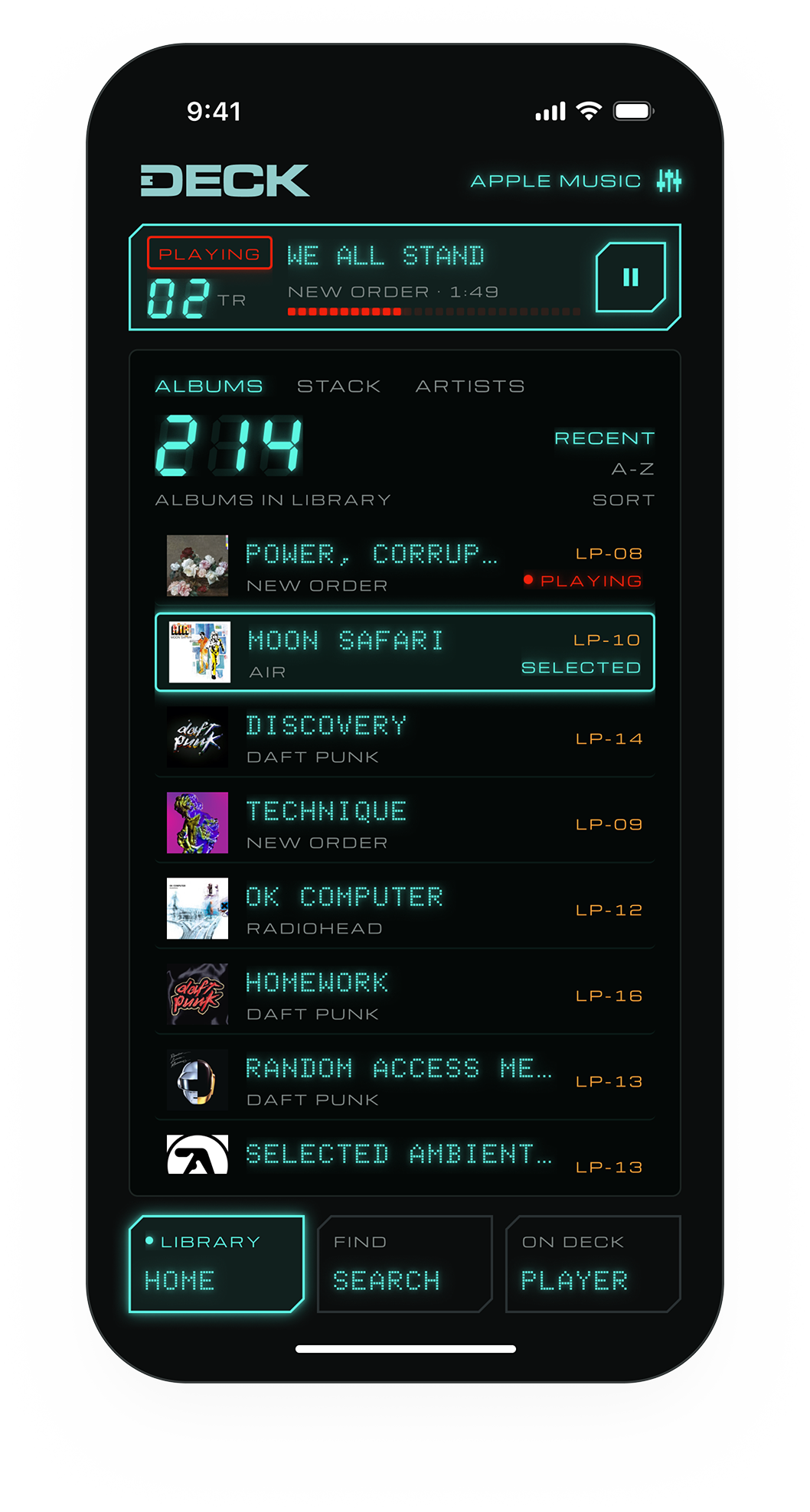
Albums load one at a time, like tapes, but you're never locked in. Pick any track, see what's up next and read up on the artist, all from one screen.
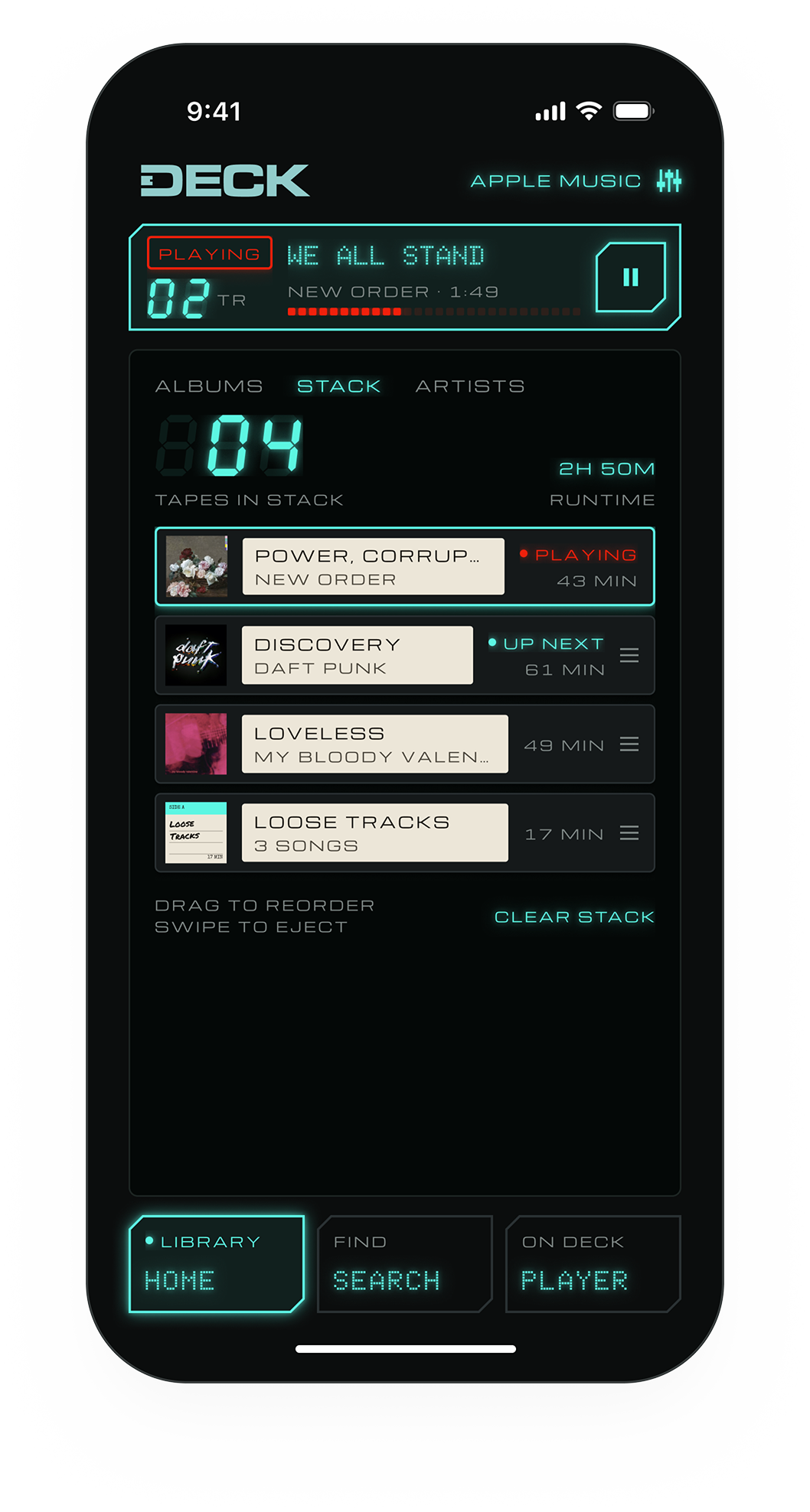
Queue whole albums or single songs. They wait in your stack as tapes, so you always know what's next and how long it runs.
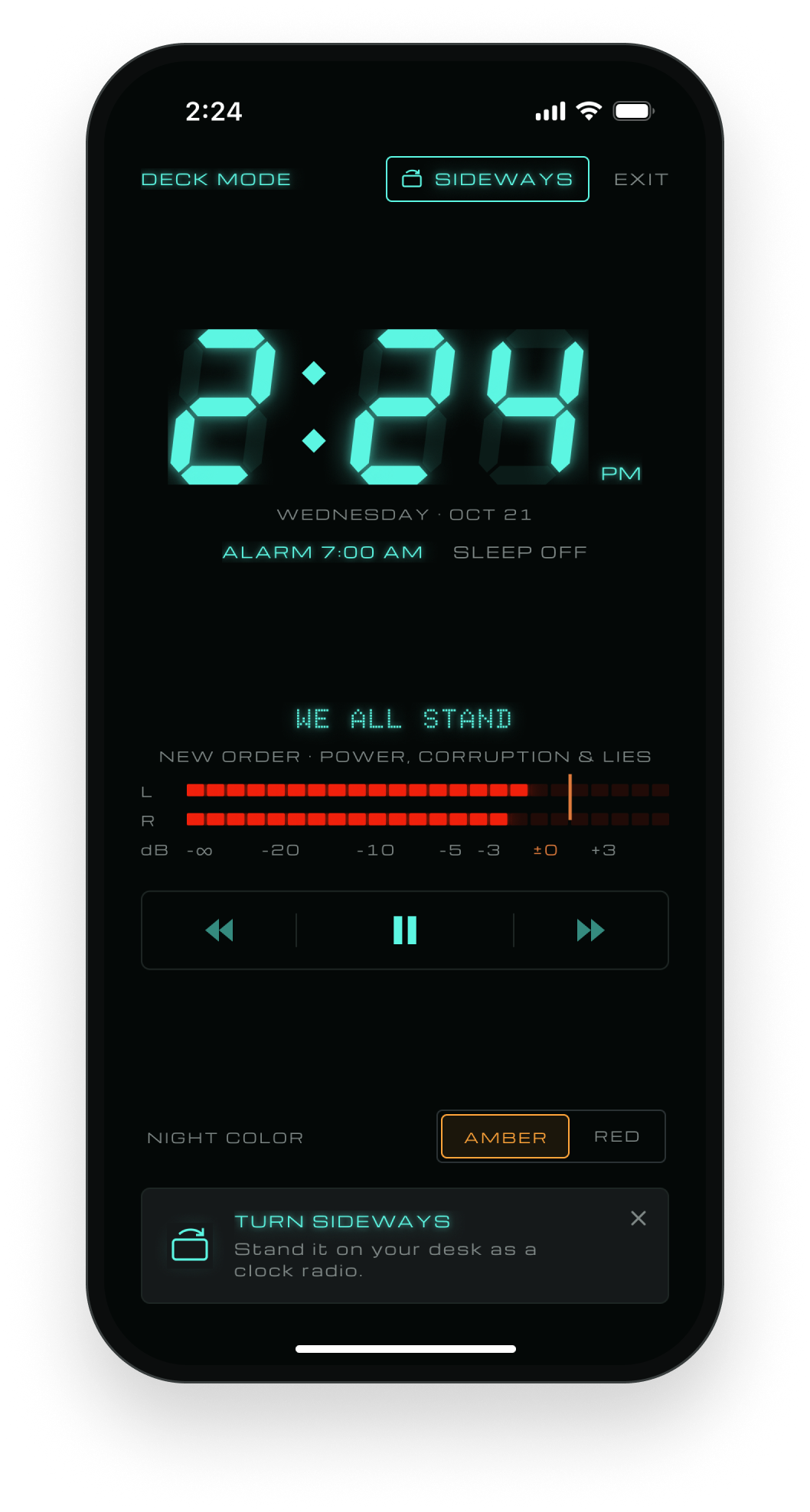
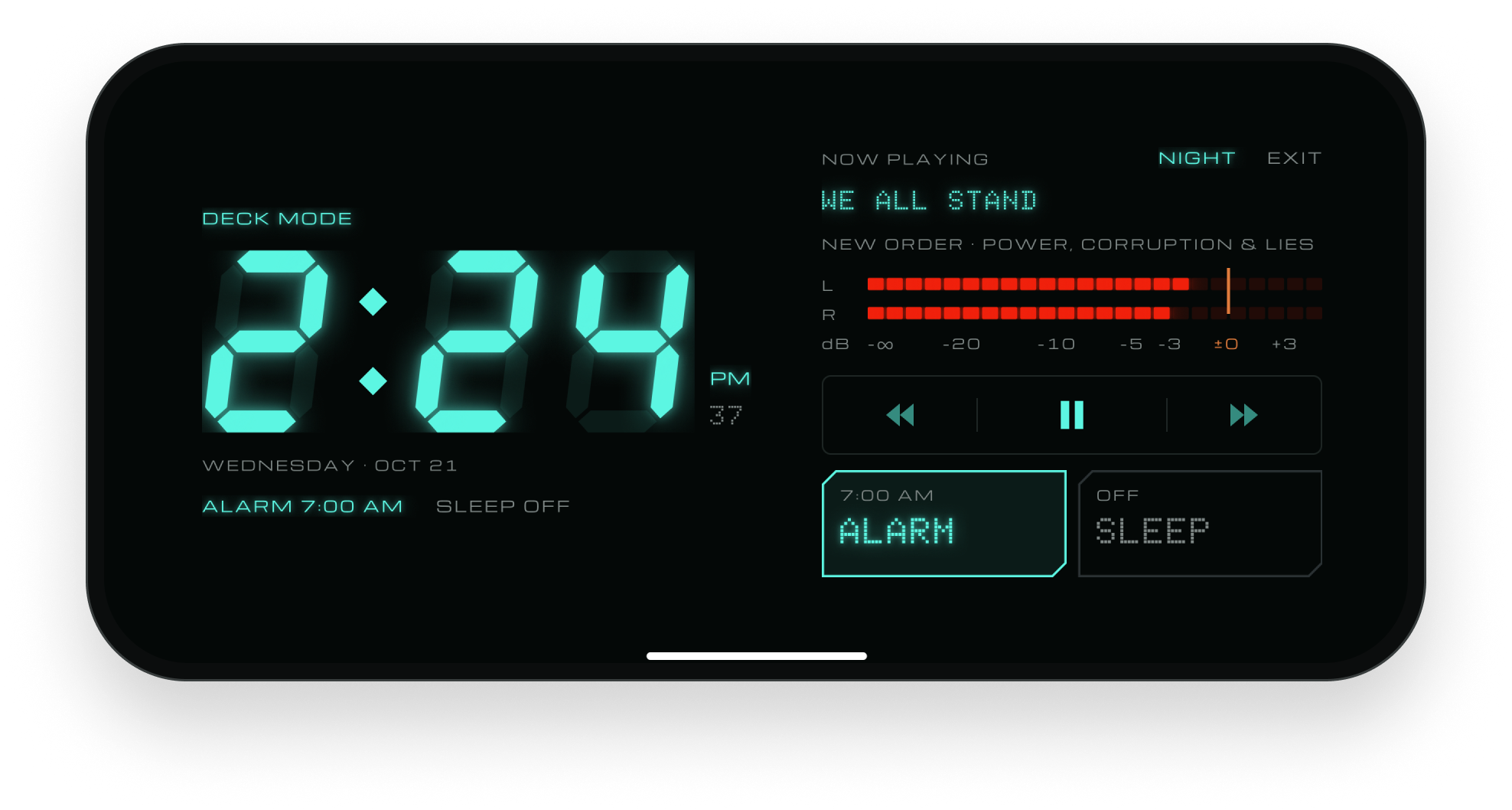
It's built like the clock radio it came from: a vacuum fluorescent display, seven-segment readouts and real keys. Turn your phone sideways and DECK becomes one for your nightstand, with an alarm that wakes you to a tone or to your stack.
Designed and built by Vincent Secary.
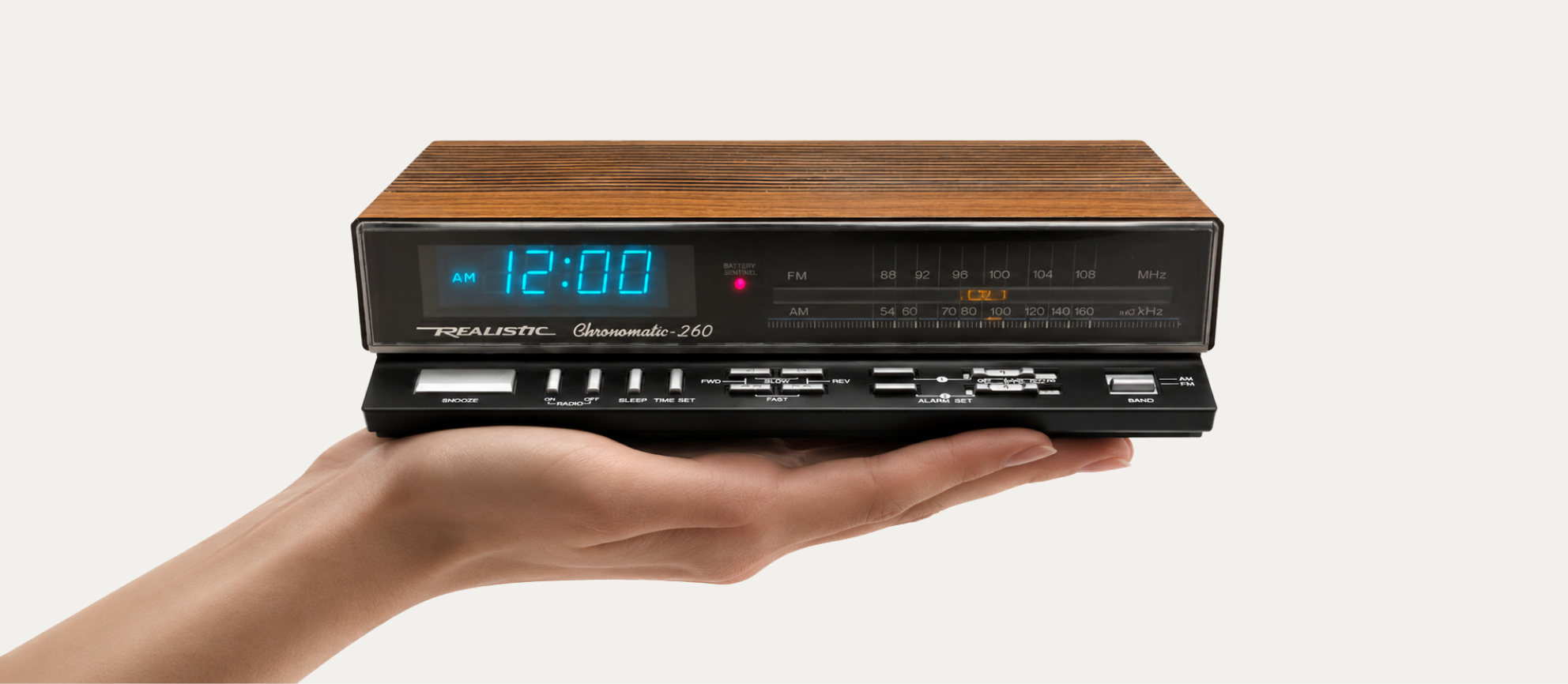
The original: a Realistic Chronomatic-260 clock radio. DECK borrows its glowing display, its keys and its job on the nightstand.
EVERYTHING ON ONE SCREEN
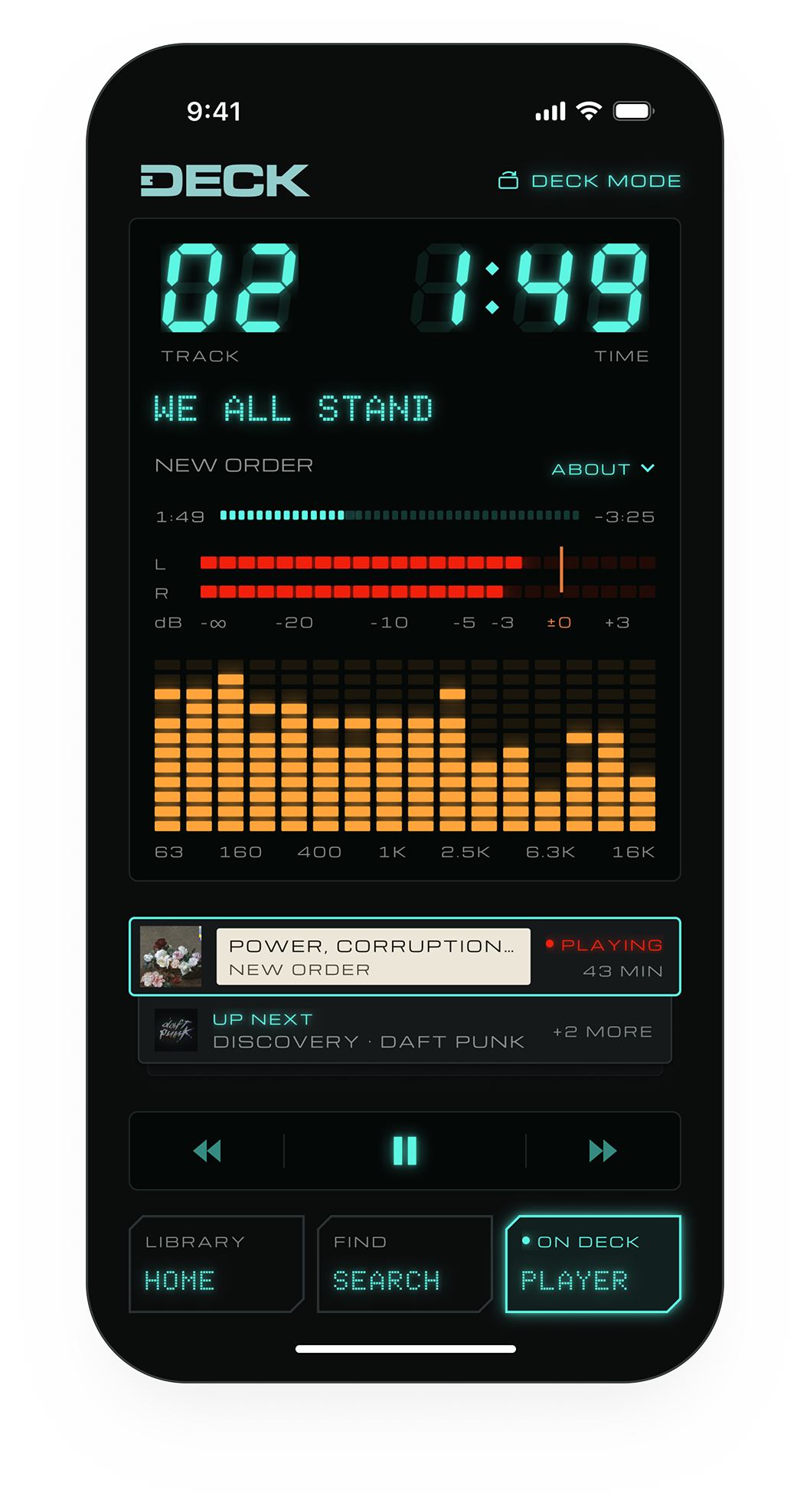
Play, skip, pick tracks, see what's up next and learn about the artist without leaving the player.
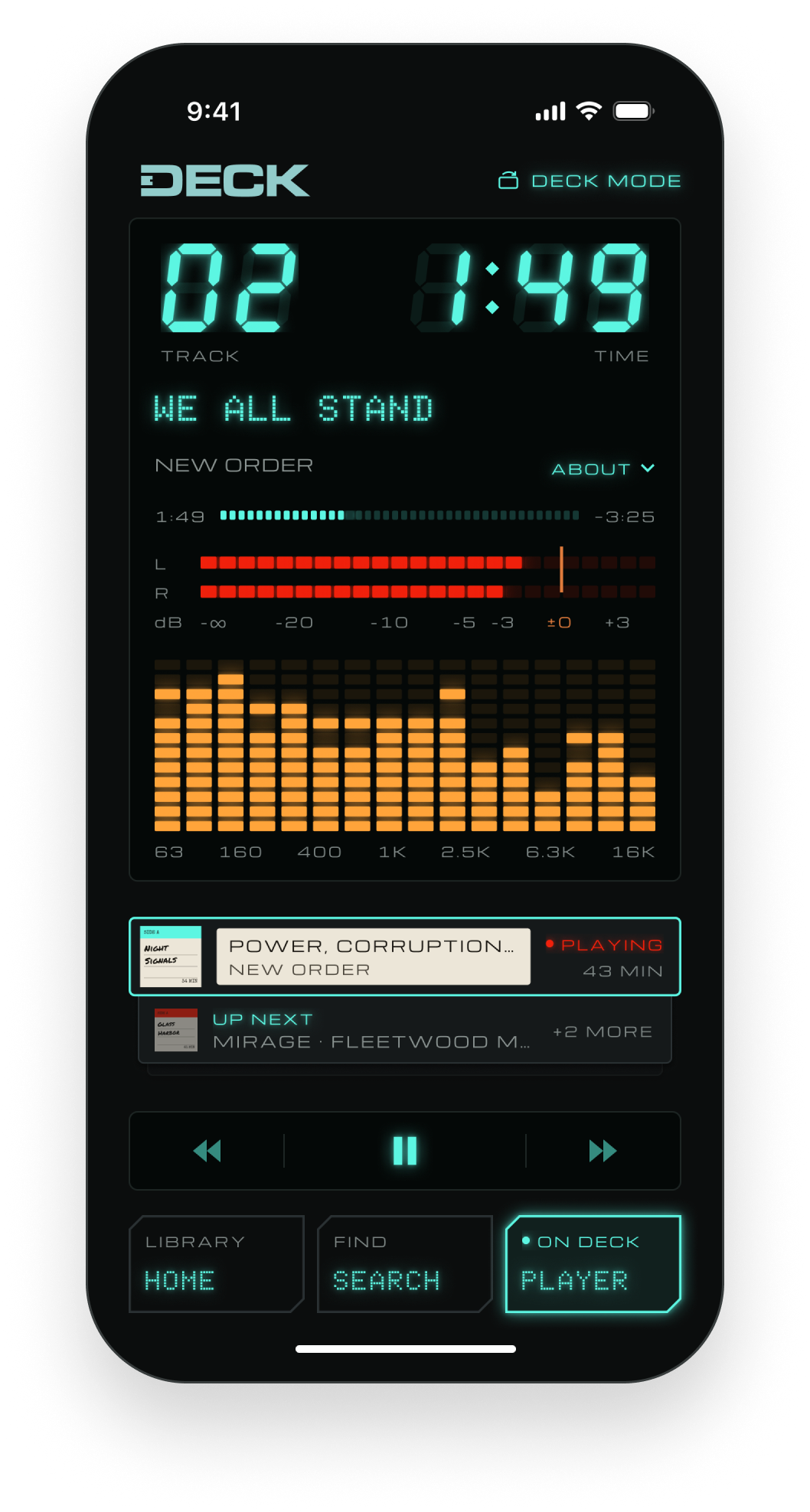
Seven-segment readouts and a tape counter for every track.
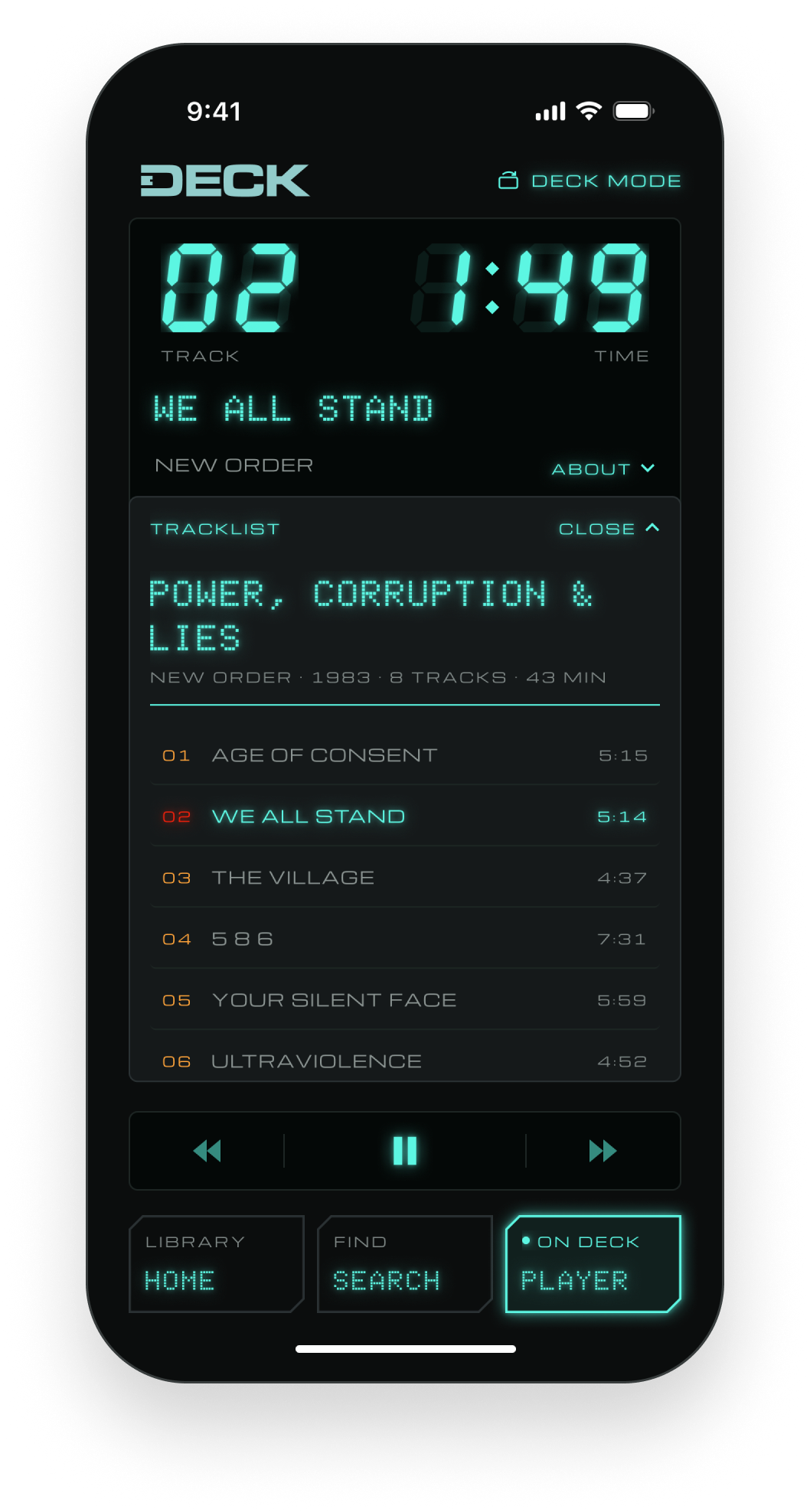
Tap the title to see every track on the album. Tap any one to play it.
Queue whole albums or single songs. Up next waits right below the tape that's playing.
Tap ABOUT to read about the artist and the album, right under the title.
An L/R level meter and a 16-band spectrum that move while a tape plays.
Tap to skip a track. Hold to wind through it.
Seven-segment readouts and a tape counter for every track.
Tap the title to see every track on the album. Tap any one to play it.
Tap ABOUT to read about the artist and the album, right under the title.
An L/R level meter and a 16-band spectrum that move while a tape plays.
Queue whole albums or single songs. Up next waits right below the tape that's playing.
Tap to skip a track. Hold to wind through it.
HOW TO USE
THE TRANSPORT


The tape winds faster the longer you hold, from 2× up to 16× normal speed.
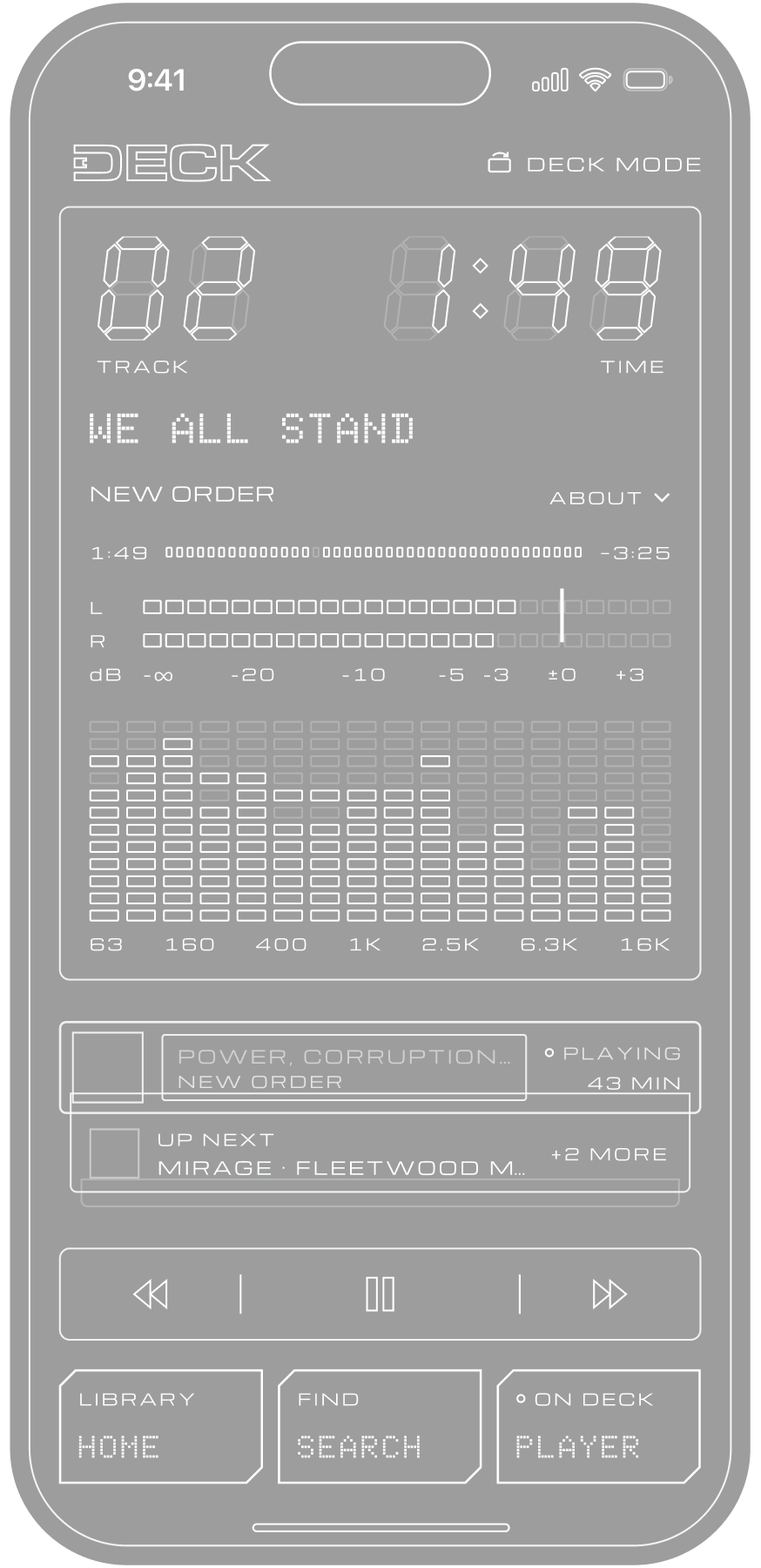

TAP REV or FWD to skip a track. More than 3 seconds in, REV restarts the track instead.

HOLD REV or FWD to wind through the track. Let go and it plays on from there.
TURN SIDEWAYS
Stand it on your desk as a clock radio.
Wake to a tone, or to your stack. The tone rings even when DECK is closed.
Fall asleep to a tape. The sleep timer fades it out.
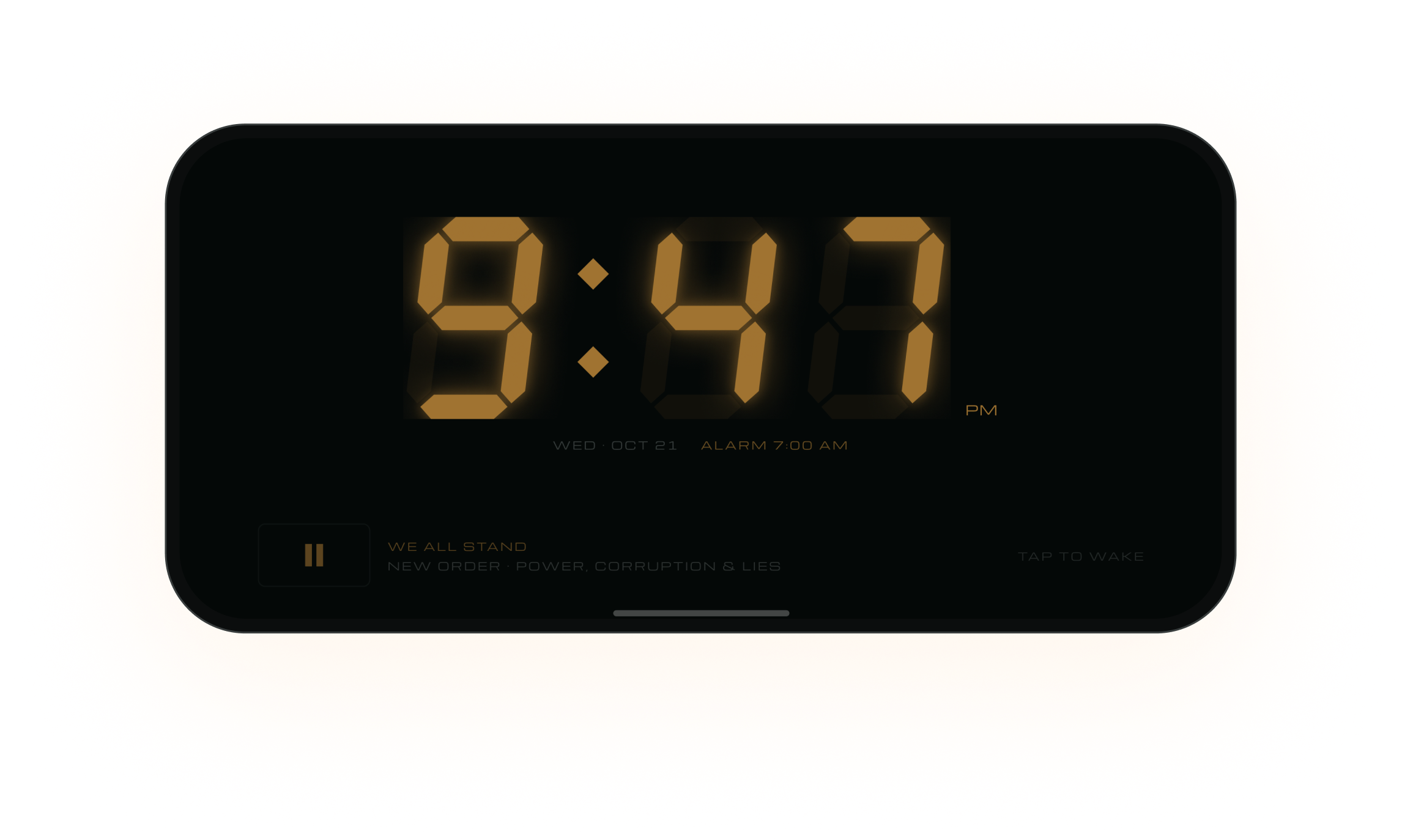
Dim the display to amber or red after dark.
AFTER DARK
The display dims to amber or red for the nightstand. Tap it to wake.
TECHNICAL DATA



QUESTIONS?
Bugs, ideas, or a question about DECK? Email me and I'll get back to you.
vinnysecary@gmail.comDo I need Apple Music?+
Yes. DECK plays your music through Apple Music, so full playback needs an Apple Music subscription.
Do I have to play whole albums?+
No. Albums load one at a time, but you can tap any track to play it. Songs you queue on their own share a Loose Tracks tape in your stack.
Do I need a DECK account?+
No. There's no DECK account to make. Your music stays with your Apple ID.
Will the alarm ring if DECK is closed?+
Yes, with Wake to set to TONE. It rings even when DECK is closed or your phone is locked. STACK starts your music by itself while Deck Mode is open.
What does DECK collect about me?+
Nothing. DECK has no account, no analytics and no ads. Read the privacy policy for the details.
Is there an iPad or Android version?+
Not yet. DECK is iPhone only for now.